

MetaTrader 4— Forex Trading, Charts & Automated TradingConnect a broker account, analyze markets and
manage manual or automated trades

How MetaTrader 4 Connects a Broker Account to the Trading Terminal

MetaTrader 4 is trading software developed by MetaQuotes; it is not a broker and does not provide brokerage, deposits, withdrawals or real trading accounts. A live account is opened with a broker or trading institution. After login, MT4 connects to that broker's server to receive available symbols, prices and account data, while the terminal provides charts, technical analysis, order controls and position management.Trading conditionssuch as spreads, leverage, available instruments and execution settings come from the connected broker account.
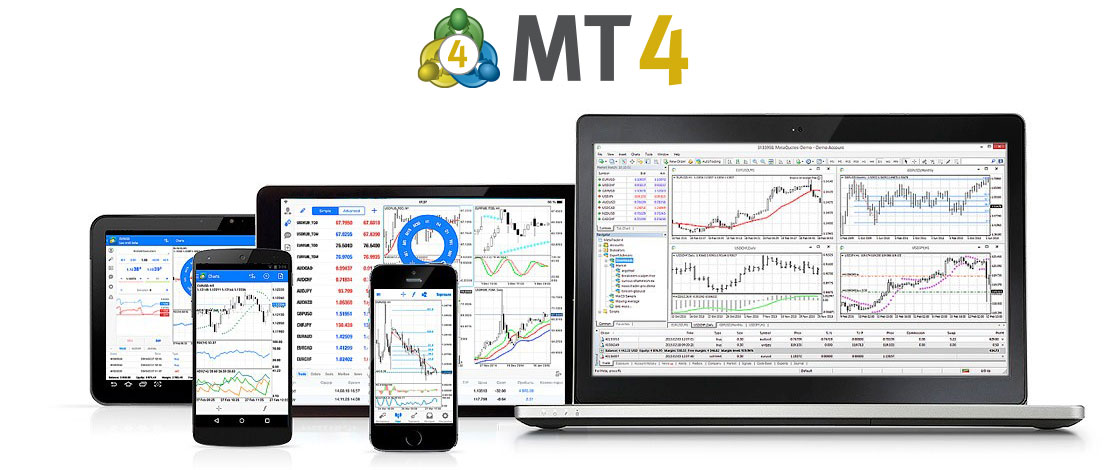
After an account is connected, Market Watch displays symbols and quotes supplied by the broker server. Interactive charts and technical indicators work with that price data, while the order window is used to place market or pending orders and manage Stop Loss and Take Profit. Positions, balance, margin and trade history remain tied to the connected account.

The desktop terminal also includes MQL4, MetaEditor, Expert Advisors and Strategy Tester for developing, running, testing and optimizing automated trading programs.MetaTrader Market and Trading Signalsare extension services: Market provides applications such as Expert Advisors and indicators, while Signals can be used to subscribe to and copy trades from signal providers.
Market QuotesTechnical AnalysisTrading OrdersMQL4 & EAs
MetaTrader 4 Trading Platform

Quotes, Charts, Order Management and Automated Trading

MetaTrader 4 combines broker-supplied market data, interactive charts, technical analysis, trading orders and MQL4 automation in one terminal. The desktop platform provides 9 chart timeframes, 30 built-in technical indicators and graphical analysis tools. Its trading system supports two market-order directions, four pending order types, Stop Loss, Take Profit and Trailing Stop. MQL4 can be used to create Expert Advisors, custom indicators and scripts.

Core platform functions
Broker Quotes9 Chart Timeframes30 Built-In IndicatorsMarket & Pending OrdersPositions & Account DataMQL4 & Expert Advisors
Technical Analysis

9 Timeframes, 30 Indicators and Chart Analysis Tools

MT4 charts can display price data across 9 timeframes from M1 to MN. The terminal includes 30 built-in technical indicators together with lines, channels, Fibonacci, Gann and other graphical analysis tools. Traders can also add custom indicators written in MQL4. The underlying quote data comes from the connected broker server.

Trading System

Market Orders, Four Pending Orders and Position Management

MT4 supports Buy and Sell market operations together with Buy Limit, Buy Stop, Sell Limit and Sell Stop pending orders. Stop Loss, Take Profit and Trailing Stop can be used to manage open positions. Available execution modes, minimum trade size and other trading conditions are defined by the broker and account configuration.

From Broker Quotes to Order Execution in MetaTrader 4

MetaTrader 4 does not create broker prices or determine account trading conditions. After login, the terminal receives symbols, quotes and account information from the connected broker server. Charts and indicators analyze that data, while manual orders and MQL4 Expert Advisors submit trading requests through the same account environment.

Quotes & ChartsOrders & PositionsBroker Server
Broker, Account and Terminal

The Broker Defines Trading Conditions; MT4 Provides the Trading Interface

Once a trading account is connected, MT4 loads the symbols, prices, balance, margin, positions and history available from that broker server. Traders can analyze the incoming market data and submit trading instructions through the terminal, while actual execution is handled according to the broker's server and account rules.

Quotes, Charts and Technical Indicators

Market Watch and charts display price data received from the trading server. Traders can examine those prices with 9 timeframes, 30 built-in technical indicators and graphical analysis tools, or extend the workspace with custom MQL4 indicators.

Orders, Positions and Account Status

MT4 provides market and pending orders together with Stop Loss and Take Profit controls. The terminal continuously displays open positions, pending orders, balance, equity, margin and completed trade history. Execution rules depend on the connected broker account.

MQL4, Expert Advisors and Strategy Tester

MQL4 is used to develop Expert Advisors, custom indicators and scripts. MetaEditor provides the coding and compilation environment, while Strategy Tester can test and optimize Expert Advisors using historical market data. Historical test results do not guarantee future live performance.

MetaTrader 4 FAQs

Answers about broker accounts, market data, trading orders, technical analysis, MQL4, Expert Advisors and automated trading in MT4.

What is MetaTrader 4?

MetaTrader 4, commonly called MT4, is a forex trading and technical-analysis platform developed by MetaQuotes. It connects to broker servers for market quotes, account data and trade execution, while the terminal provides charts, technical indicators, order management, MQL4, Expert Advisors, MetaEditor and Strategy Tester.

Does MetaTrader 4 provide real trading accounts?

No. MetaQuotes develops the trading software and does not provide brokerage, deposits, withdrawals or real trading accounts. A real account is opened with a broker or trading institution and then connected to MT4 using the account credentials and matching broker server.

Which trading orders and chart tools does MT4 support?

The MT4 desktop terminal supports Buy and Sell market operations, four pending order types, Stop Loss, Take Profit and Trailing Stop. Technical-analysis tools include 9 chart timeframes, 30 built-in indicators and graphical analysis tools, with additional custom indicators available through MQL4.

What are MQL4, Expert Advisors and Strategy Tester?

MQL4 is the programming language used by MetaTrader 4. Expert Advisors are MQL4 programs that can automate analytical or trading processes. MetaEditor is used to create and compile MQL4 programs, while Strategy Tester is used to test and optimize Expert Advisors on historical data.

Are the same instruments available at every MT4 broker?

No. MT4 displays the symbols and market conditions provided by the connected broker server. Available forex pairs or other instruments, pricing, spreads, leverage, trading volume limits and execution settings can differ by broker and account type.

Can MetaTrader 4 or an Expert Advisor guarantee trading profits?

No. MT4 is software for market analysis, trade execution and automation. Expert Advisors execute programmed logic, but neither MT4 nor an EA can guarantee profits or remove risks from leverage, market volatility, liquidity, slippage, execution conditions or strategy failure.

Common Ways to Use MetaTrader 4

MT4 can be used for manual trading, technical analysis, Expert Advisor automation, historical strategy testing, mobile account management and services such as MetaTrader Market and Trading Signals. Each function belongs to a different part of the platform environment.

Manual Trading

Use Market Watch, charts and the order window to monitor broker quotes, place market or pending orders and manage Stop Loss, Take Profit and open positions.

Orders & PositionsCore trading workflow
Technical Analysis

Analyze price data with 9 chart timeframes, 30 built-in technical indicators and graphical analysis tools, or add custom indicators developed with MQL4.

Charts & IndicatorsMarket analysis workspace
Automated Trading

Run Expert Advisors written in MQL4 inside the desktop terminal to automate analytical or trading logic when automated trading and the required account permissions are enabled.

MQL4 & Expert AdvisorsTrading automation
Strategy Testing

Use Strategy Tester to examine how an Expert Advisor behaves on historical data and optimize selected parameters before considering live use. Backtests do not guarantee future results.

Strategy TesterEA testing & optimization
Mobile Trading

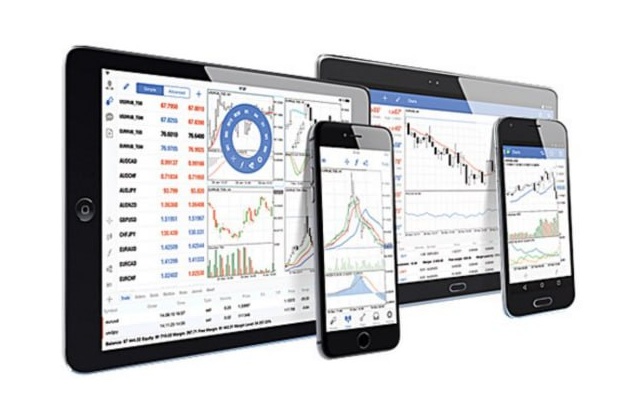
MetaTrader 4 for iOS and Android provides broker quotes, interactive charts, trading orders, account status and trade history for smartphones and tablets.

iOS & AndroidMobile account access
Extension Services

MetaTrader Market provides applications such as Expert Advisors and technical indicators, while Trading Signals can copy provider trades. Virtual hosting can be used to keep terminal services running continuously.

Market / Signals / VPSMetaTrader ecosystem
MetaTrader 4 logoMT4

MetaTrader 4 Desktop, Mobile and Extension Services

View related content
MetaTrader 4 - Forex Trading Charts Automated Trading